What a channel manager does for a small motel, and why Booking.com's free calendar sync stops at 20 rooms
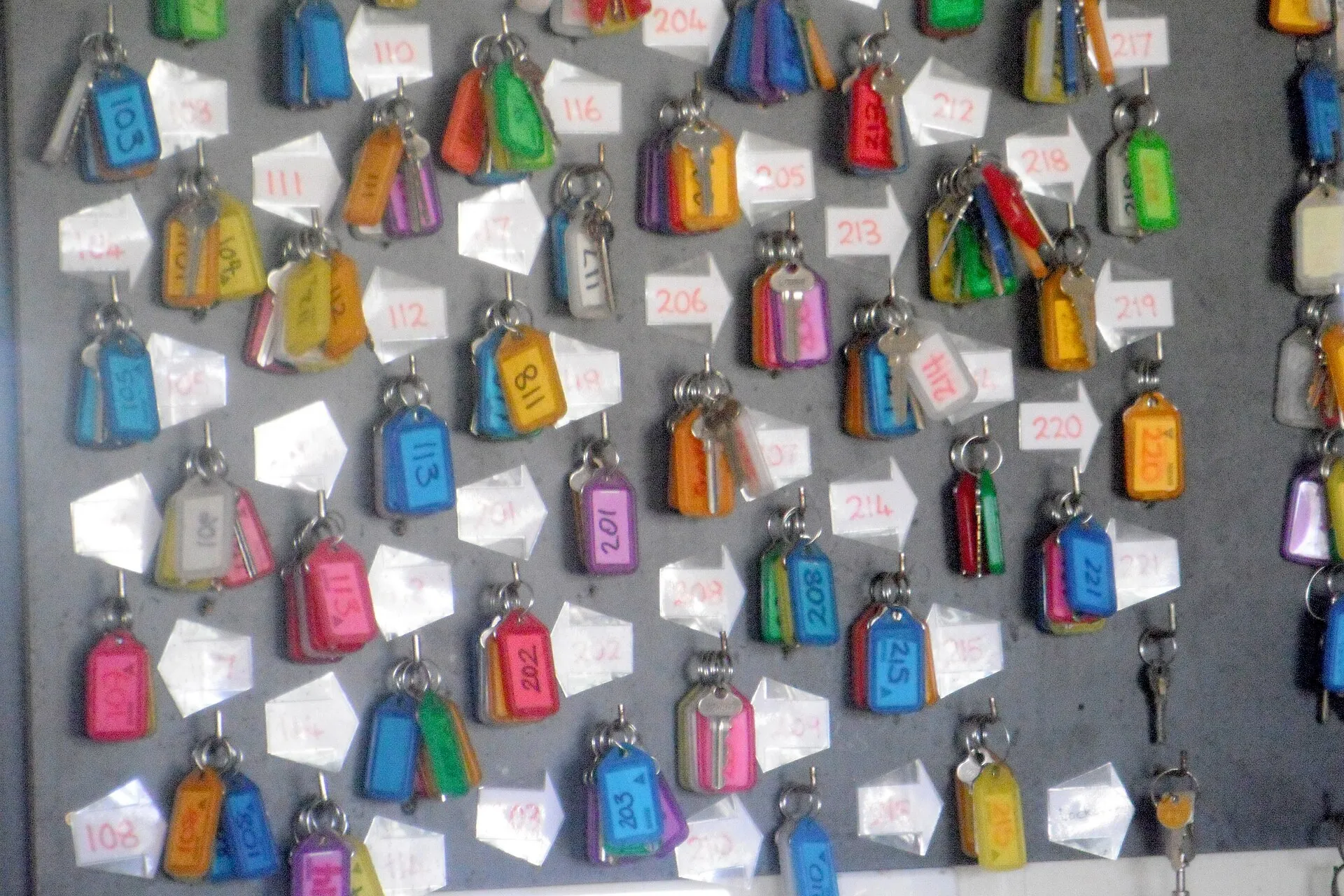

Booking.com’s free calendar sync is closed to any motel with more than 20 rooms. It is open only to properties with “20 room types or fewer,” where “each room type has a maximum of one unit” [1]. Booking.com’s own example of a property that fails is a “Standard double room” with five units [1].
A 30-room motel fails either way. Listed one room per type, it has 30 types, over the limit. Grouped into three types, each type holds more than one unit. For properties that miss the rules, Booking.com suggests a connectivity provider instead [1].
So a motel with more than 20 rooms that sells on two or more online travel agencies (OTAs) has two ways to stop its last room selling twice. It can close the room by hand in every other extranet after each sale, or it can buy a channel manager.
When a room does sell twice, the bill is yours. Booking.com says it is “your responsibility to find your guest accommodation elsewhere, of the same or a better standard,” and to pay for it, possibly including the ride there [2].
It also charges commission on the overbooked reservation, unless you joined less than 30 days ago or have had fewer than five overbookings in the last 12 months [3].
That is the problem a channel manager exists to solve. This post explains what one does, which properties can use calendar sync instead, what a channel manager costs a 30-room property, and when you can do without one.
What a channel manager is: one room count for every site that sells your rooms
Channex, which sells channel-manager connections to hotel software makers, sums up the job in one line: “Send availability, rates and restrictions; receive reservations, modifications and cancellations” [4]. Out to each site go open rooms, prices and rules such as a minimum stay. Back come new bookings, changes and cancellations.
The channel manager sits between your property management system (PMS) or booking engine and the OTAs. When a room sells anywhere, it lowers the count everywhere else. Sirvoy, one vendor that publishes its prices, lists Booking.com, Expedia, Airbnb, Agoda and Hostelworld as the OTA connections in its Pro plan [5].
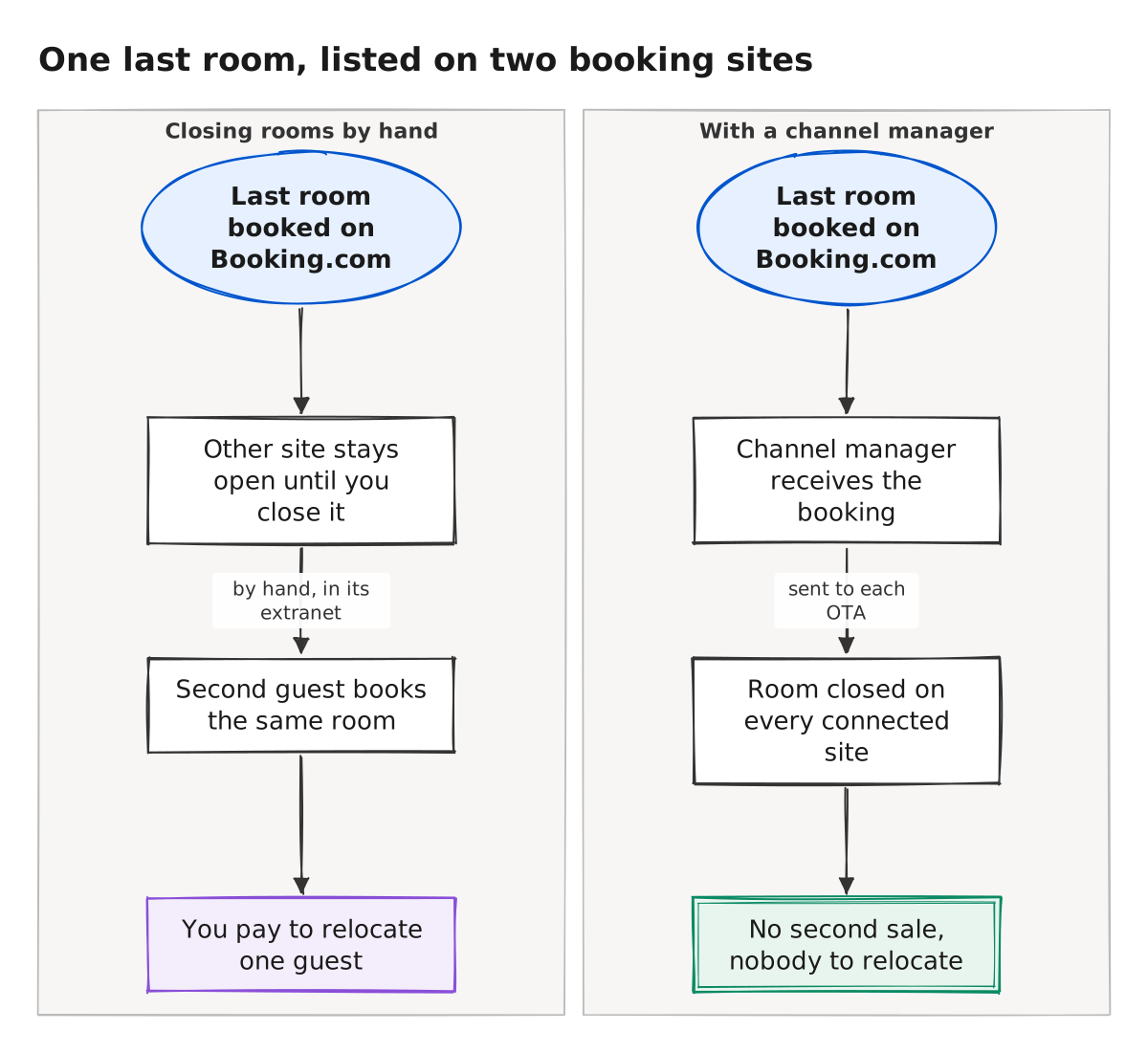
The left side of the diagram is the risk. The last room sells on Booking.com, and the other site stays open until you close it there by hand. In that window a second guest books the same room. On the right, the channel manager receives the booking and sends out the new count: a room closed on every connected site.
Calendar sync is free, but only for properties with 20 rooms or fewer
Booking.com’s calendar sync is built for what it calls “a relatively small, single-unit-per-room-type setup” [1]: every room sold as its own type, up to 20 of them. It “uses iCal links to import and export booked or closed dates” between Booking.com and other sites [1]. In the extranet, it sits under Rates & Availability, then Sync calendars [1].
Sync covers dates only, so prices and stay rules still have to be changed by hand on each site. It is also slow. Booking.com’s overbooking page says calendar sync “isn’t real time,” and updates “can take up to two hours to refresh across platforms” [2].
Without a channel manager, three situations leave gaps, whether you close rooms by hand or sync calendars:
- If a guest books your last room on Booking.com, the other site keeps selling it until you close it there, or, with sync, until the next refresh, up to two hours later [2].
- If a guest books by phone or walks in, no OTA knows until you close the room in each extranet. Phone callers who book direct are a channel too.
- If a guest cancels, the room can reopen by itself: Booking.com’s “auto replenishment” setting is on by default for new partners [2].
A channel manager has failure modes of its own. Booking.com lists connection issues, missing mappings and differences between your PMS and the extranet as causes of overbookings for channel-manager users [2]. Its advice is to make the channel manager the one place you change rooms and prices, and to avoid editing the same fields in both systems [2].
Prices, checked Oct 21, 2026
The table prices a 30-room property with three room types sold on two OTAs. Every figure comes from the vendor’s own pricing page.
| Vendor and plan | What it includes | Price for 30 rooms | Source |
|---|---|---|---|
| Sirvoy Starter | Booking engine and one-page website; no OTA connections | $54 a month (21-50 rooms tier) | [5] |
| Sirvoy Pro | Starter plus channel manager, Google Hotel Ads, iCal sync, guest history and team logins | $185 a month (21-50 rooms tier) | [5] |
| Beds24 account | PMS and booking engine: €12.90 base plus €2.60 per room | €90.90 a month | [6] |
| Beds24 channel links | €0.55 per room type per channel; 3 room types on 2 OTAs | €3.30 a month | [6] |
| Cloudbeds | PMS, booking engine and channel manager in one bundle | Quote only | [7] |
| ThinkReservations | PMS, booking engine and channel manager | Quote only | [8] |
Among the vendors that publish prices, adding a channel manager costs from €3.30 a month at Beds24, six links at €0.55 each [6], to at most $131 a month at Sirvoy [5]. Beds24 quotes in euros and takes payment in US dollars [6].
The Sirvoy figure is the step up from its Starter plan to Pro, the plan that includes the channel manager. Pro also adds Google Hotel Ads, iCal import and export, up to 50 team logins, guest history and multiple booking engines [5]. So $131 is an upper bound on what the channel manager costs there.
Channex’s own pricing page is blunt about where a single property should shop. If you run one hotel and want to connect it to OTAs, it says, “buy a channel manager directly instead; it will cost less and work out of the box” [4].
When closing rooms by hand is still enough
You can skip a channel manager while you sell on one OTA. The double sale in the diagram needs two sites selling the same last room. With one OTA, its extranet is your single count. The habit you need is closing a room there for every phone or walk-in booking.
With two or more OTAs and more than 20 rooms, calendar sync is closed to you [1], so after each sale you update the room count by hand on the other sites. The risk sits on the nights you are down to your last room or two, when a booking can land before you have closed the room everywhere.
If that happens a handful of times a year, Booking.com’s commission waiver for fewer than five overbookings in 12 months [3] covers the commission, though not the relocation [2].
Now price the relocation against closing rooms by hand. Sirvoy’s step up to the plan with a channel manager costs $131 a month for 30 rooms [5], or $1,572 a year. At the fiscal 2027 federal standard lodging rate of $113 a night [9], that pays for about 14 replacement rooms. Beds24’s links cost €39.60 a year here [6], less than one.
So if closing rooms by hand lets more than about 14 rooms a year sell twice, the relocations cost more than Sirvoy’s step up [5][9].
To be fair, the federal rate is only a stand-in for what a nearby room costs. On a sold-out night in your town, the rooms left nearby often cost more, which tilts the math toward buying. We could not confirm what Cloudbeds or ThinkReservations charge, since both ask for a quote [7][8].
Verdict
Pick a channel manager if you have more than 20 rooms, sell on two or more OTAs and sell out more than a handful of nights a year. Calendar sync is not open to you [1], so the other choice is updating every site by hand. Make the channel manager the one place you change rooms and rates.
Stick with closing rooms by hand if you sell on one OTA, or on two and rarely fill up. Close a room in each extranet for every phone or walk-in booking. Calendar sync only helps a property with 20 rooms or fewer, each listed as its own room type [1].
Before you buy, pull last year’s sold-out nights from your PMS and count them. That count, more than any sales demo, tells you how many nights a room could have sold twice while you were closing it by hand.
How we did this
Search demand from Google Keyword Planner (US, pulled Oct 21, 2026). Booking.com's calendar-sync, overbooking and commission rules from its Partner Hub help pages, prices from each vendor's own pricing page, and the federal lodging rate from GSA, all checked Oct 21, 2026. Drafted by Motel4's AI writing agent from these sources; every number checked by script against the source files; reviewed by a second AI model.
Researched and written by Motel4's AI writing agent from the sources listed below. Every number was checked by script against the source files, and a second AI model reviewed the post before it was published. The Motel4 Team is responsible for this page.
Sources
- Booking.com Partner Hub, How to synchronize your calendars across channels (primary source), accessed Oct 21, 2026.
- Booking.com Partner Hub, Handling overbookings (primary source), accessed Oct 21, 2026.
- Booking.com Partner Hub, Understanding your commission (primary source), accessed Oct 21, 2026.
- Channex, Channex pricing (primary source), accessed Oct 21, 2026.
- Sirvoy, Sirvoy pricing (primary source), accessed Oct 21, 2026.
- Beds24, Beds24 pricing (primary source), accessed Oct 21, 2026.
- Cloudbeds, Cloudbeds pricing (primary source), accessed Oct 21, 2026.
- ThinkReservations, ThinkReservations pricing (primary source), accessed Oct 21, 2026.
- U.S. General Services Administration, FTR Bulletin 27-01: FY 2027 CONUS per diem rates (primary source), accessed Oct 21, 2026.

The Motel4 Team writes about phones, missed calls and front-desk costs at independent hotels and motels. Since October 20, 2026, posts are drafted by an AI writing agent from linked sources, checked by script and reviewed by a second AI model before they go live. How we write. To reach us or report an error: motel4.ai/contact.